



Max2Play is an Operating System
It allows for simple and comfortable control and configuration of single board computers like the Raspberry Pi directly via any local internet browser (using laptop, PC or smartphone). This makes the connection of a mouse, keyboard or screen obsolete.

Main Application Areas
Play Audiophile Music & HD Videos
Max2Play lets you render all established audio formats. In addition, we offer special Max2Play Plugins for the most popular Raspberry Pi sound cards. A simple multiroom audio setup is one of Max2Play’s major application fields: we use a Squeezebox Server to set this up in order to be able to integrate all pre-existing Squeezeboxes into the multiroom system. Max2Play uses KODI and enables the playback of HD videos. Max2Play consequently allows both audio and video playback on one system.


Music Server & Home Automation
Max2Play is both server and player at the same time. This means you can install a Squeezeserver locally on your Max2Play device (e.g. Raspberry Pi) and use our mounting tools to easily mount your whole local music library. Additionally, the device can be used to play back music. Aside from local files, you can use streaming services like Spotify or stream music via AirPlay or Bluetooth. We also offer various plugins for home automation sector.
Max2Play at a glance
What users of Max2Play say
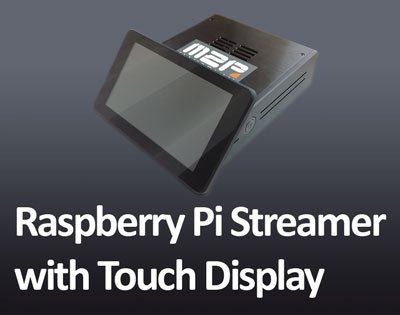
Raspberry Pi Hi-Fi Streamer with 7 Inch Touch Screen Display Control and Max2Play
This new audiophile Raspberry Pi Hi-Fi Streamer comes with a touch display. Ideal as Squeezebox server, home theater controller and for home automation.
11

Allo USB Bundle
In this blog-article we present you the Allo USB Bundle, which consists of the Allo USBrdige Signature, the Revolution DAC, aswell as the power supply Shanti.
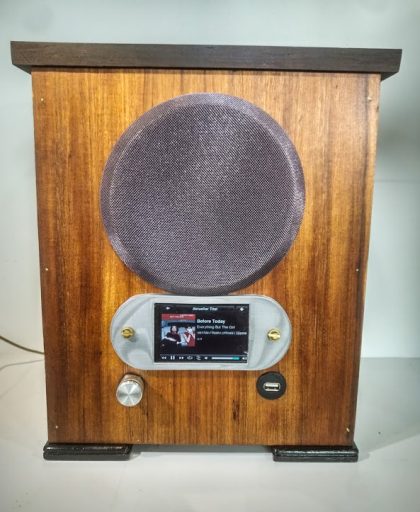
The VEB Stern-Radio with Raspberry Pi and Max2Play
Do-it-Yourself-restoration of an old VEB Stern-radio with Raspberry Pi, a touchdisplay and Max2Play.
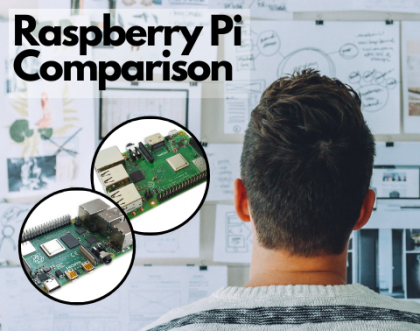
Raspberry Pi 3B+ and Pi 4B in comparison
A comparison between the third generation Raspberry Pi, 3B+ and the fourth generation, the Raspberry Pi 4B.
-
My Max2Play is showing as „Not activated“
by 18 hours, 43 minutes ago
-
SD card usage 100%
by 2 days, 16 hours ago
-
8.5.1 installs 8.5.0
by 6 days, 14 hours ago
-
Why Unfortunately I am Quiting Max2play after 6 Years as a Paid User
by 1 week, 6 days ago
-
Squeezebox Server Installation nicht (mehr) möglich
by 2 weeks, 3 days ago


Max2Play community projects
The VEB Stern-Radio with Raspberry Pi and Max2Play
Do-it-Yourself-restoration of an old VEB Stern-radio with Raspberry Pi, a touchdisplay and Max2Play.
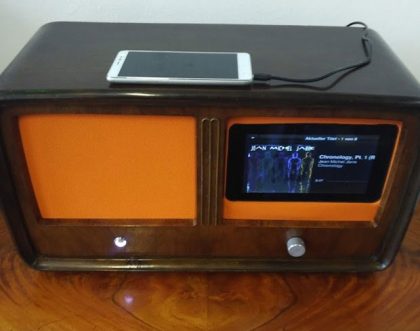
Antique Radio in New Splendor with Max2Play and HiFiBerry
Do-it-yourself restoration of a dusty, pitted antique radio to a fancy case for a full-fledged Max2Play touch display bundle.
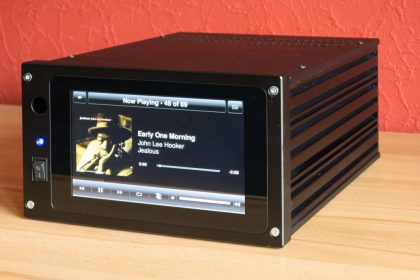
Whity’s PiBoxTouch – Max2Play on TableTop
Great project by Whity, who previously introduced us to his HiFiBerry Streamer. Now he put together another compact streamer. The PiBoxTouch fits all the necessary parts for a touchscreen-based,…
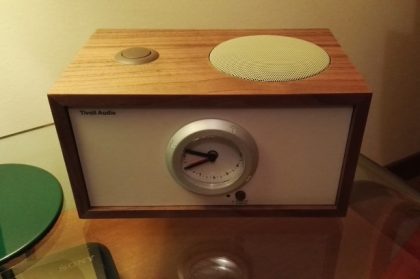
Tivoli – HiFiBerry Dual Alarm Speaker by Riccardo Raponi
Riccardo Raponi’s Tivoli Dual Alarm Speaker is a DIY Raspberry Pi project built on Max2Play operating system and HiFiBerry sound cards. Here you can see how Riccardo came up…